

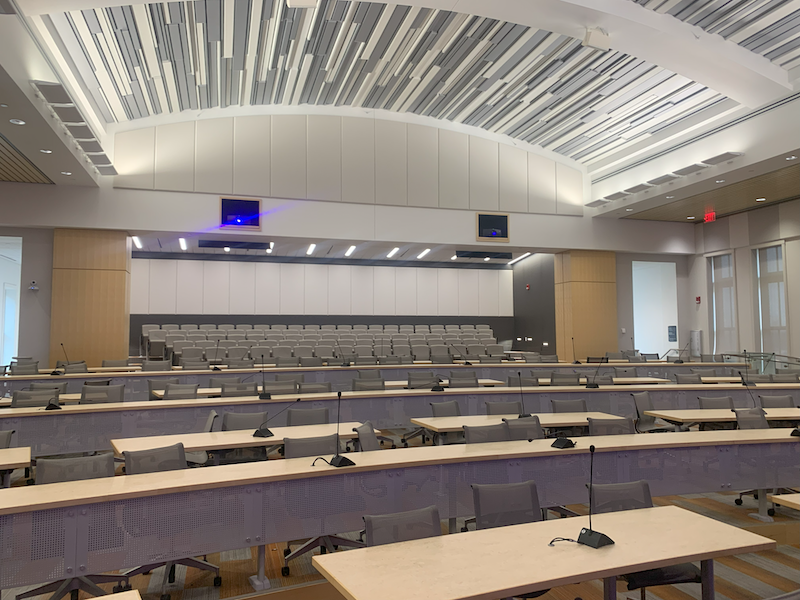
It’s the big moment — every detail has been prepped, the room is set, everyone is seated, and it’s time to make magic happen. The last thing you want is to gamble the success of your board meeting, workshop, or conference with unreliable audio visual equipment. Technical issues like a squealing mic caused by feedback, faulty lighting, or choppy video can pull focus from everything you’ve worked to deliver.
Your audio visual system is not just a background element — it’s what brings your message to life. Great AV equipment should work reliably and without distractions or guesswork. The sound should be clear and audible through the space, visuals should be crisp, and everything should run smoothly from start to finish.
Here’s how to spot potential issues ahead of time, what questions to ask yourself, and how to make sure your AV equipment is ready to support your event.
Know What You Have — And What’s Missing
The right equipment is essential in all performance situations. Being clear on what’s working and what isn’t is the first step toward building a setup that supports your events. Take an inventory of your AV system and its capabilities with the following in mind:
- Are critical items outdated, unreliable, or missing? Even if cutting-edge isn’t the goal, your gear should be safe, compatible, operational, and versatile.
- What functions or features do we frequently wish we had? Brighter projection? Hybrid conferencing options? Identifying these functions will help prioritize upgrades and plan a system that will grow with your needs.
- What recurring technical issues do we have? These interruptions undermine productivity — fixing them with repairs, replacements, or upgrades can alleviate headaches and improve the AV experience for everyone.
- How is equipment maintained? Preventative care will extend gear life and prevent malfunctions. Also, keep in mind how maintenance is recorded.
Identify Your Needs
Every venue and organization has unique priorities, whether it’s the types of events hosted, the technical skill level of operators, or budget constraints. Tailoring equipment to fit these specific factors ensures smooth, professional presentations that engage your audience and minimize difficulties. Think through:
- What types of events are most common? Understanding frequent event types helps determine the technical features that matter most. For example, a training session might benefit from digital signage or video wall displays and tools to engage participants, a worship service with high-quality microphones, and a sports venue with complex integration for timing systems and weatherproofing.
- Who will be operating the equipment? Complexity should match the abilities of those using it, from intuitive setups and controls, to dedicated AV techs with advanced.
- What’s your budget? It’s important to balance essential needs while allowing room for growth with new features down the road. Investing in scalable equipment is a great way to avoid system overhauls as event requirements evolve.
- How much support do you need? Additionally, how much is needed on-site or remotely during events? Knowing this will help determine how automated your system is, or should, be.
Test Early and Often
Checking equipment regularly and before important events is a great way to mitigate stressful situations and identify issues before they arise. It’s also important to ensure presenters are comfortable using equipment and know what to do should an issue arise. Here are some tips to keep in mind:
- Full equipment check: power on every device and confirm all components are working properly.
- Simulate real scenarios: test with actual content, lighting, and sound levels to better anticipate potential problems.
- Confirm network reliability and bandwidth: this is especially important if streaming or conferencing, so test internet connections and software to identify connectivity issues.
- Test backup equipment: know what to do, and how to quickly access spare equipment or devices.
Consult a Professional
Still not sure? A walk-through by an audio visual specialist can determine the status and viability of your setup and offer solutions you didn’t know you needed. To help ensure efficient operations, less stress, and a flawless event, a professional can:
- Assess current equipment for reliability and performance
- Recommend upgrades to fill gaps or improve functionality
- Tailor an AV system that meets your specific needs and budget
Set the Stage for Success
Planning a team summit, investor meeting, or other event? Ensure your AV system delivers a seamless experience by contacting Midwest Audio Visual. We provide trusted, expert AV solutions for venues that rely on consistent, high-quality technology. A free AV consultation with one of our AVIXA-certified (CTS-D) and CTS-I certified experts will give you the answers you need to meet the moment with confidence and clarity.